Example 3: CSV with Edge Properties and Multiple Relations
This example demonstrates how to handle complex relationships where multiple edges can exist between the same pair of entities, each with different relation types and relationship attributes.
Data Structure
We have a CSV file representing business relationships between companies:
| company_a | company_b | relation | date |
|---|---|---|---|
| Microsoft | OpenAI | invests_in | 2023-01-23 |
| Microsoft | OpenAI | partners_with | 2023-03-15 |
| Amazon | Whole Foods | acquires | 2017-08-28 |
| Amazon | Whole Foods | integrates_with | 2018-02-14 |
| Tesla | Panasonic | partners_with | 2014-07-31 |
| Tesla | Panasonic | supplies_to | 2016-06-10 |
| Apple | competes_with | 2007-06-29 | |
| Apple | collaborates_with | 2021-04-28 |
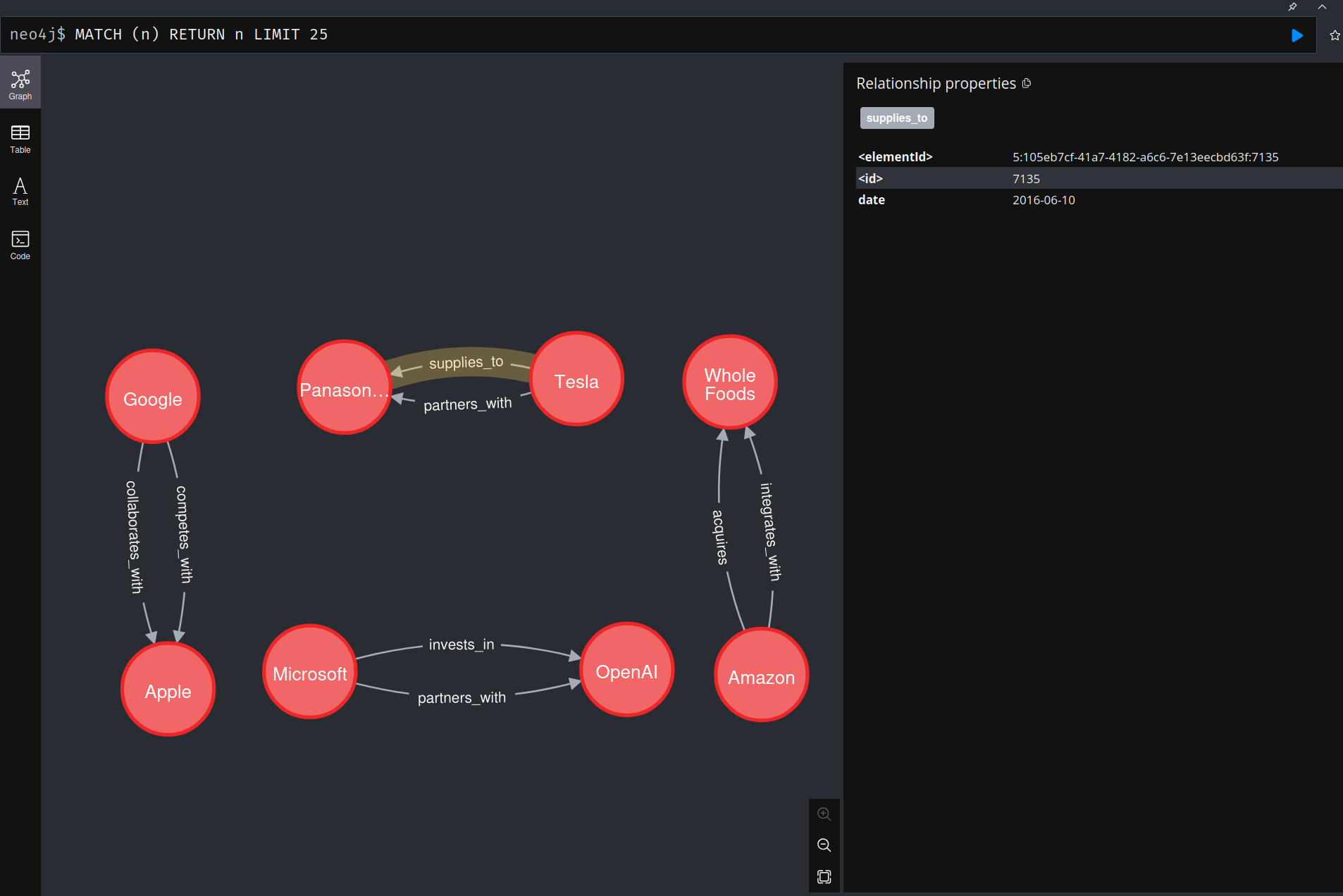
Notice that the same company pairs can have multiple different relationship types (e.g., Microsoft-OpenAI has both "invests_in" and "partners_with" relationships).
Schema Configuration
Vertices
We define a simple company vertex:
Edges
Logical edges declare properties (relationship attributes) and, when needed, an identities key so parallel relationships stay distinct. Dynamic relationship types from a CSV column are configured on the edge step in the resource pipeline with relation_field (not on the logical Edge).
Key Concepts
relation_field on the edge step
In the resource pipeline, relation_field: relation on the source/target step tells GraFlo to:
- Read the
relationcolumn from the CSV - Use its values as the relationship type for that row
- Produce multiple relationship types from one edge definition:
invests_in,partners_with,acquires, etc.
Edge properties
The properties: [date] entry on the edge:
- Declares
dateas a relationship attribute on each emitted edge - Supports temporal analysis and filtering/sorting on that attribute
Resource Mapping
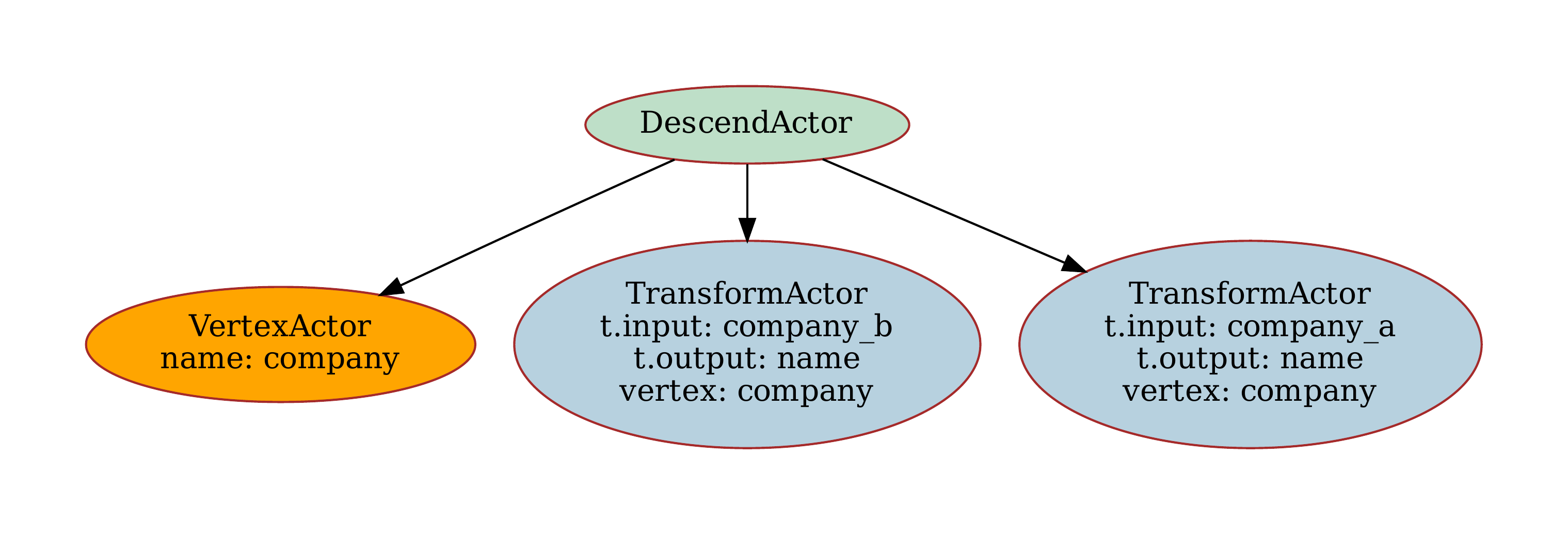
The resource configuration maps the CSV columns to vertices and edges:
resources:
-   name: relations
    apply:
    -   vertex: company
        "from": {name: company_a}
    -   vertex: company
        "from": {name: company_b}
    -   source: company
        target: company
        relation_field: relation
This creates two company vertices for each row and establishes the relationship between them.
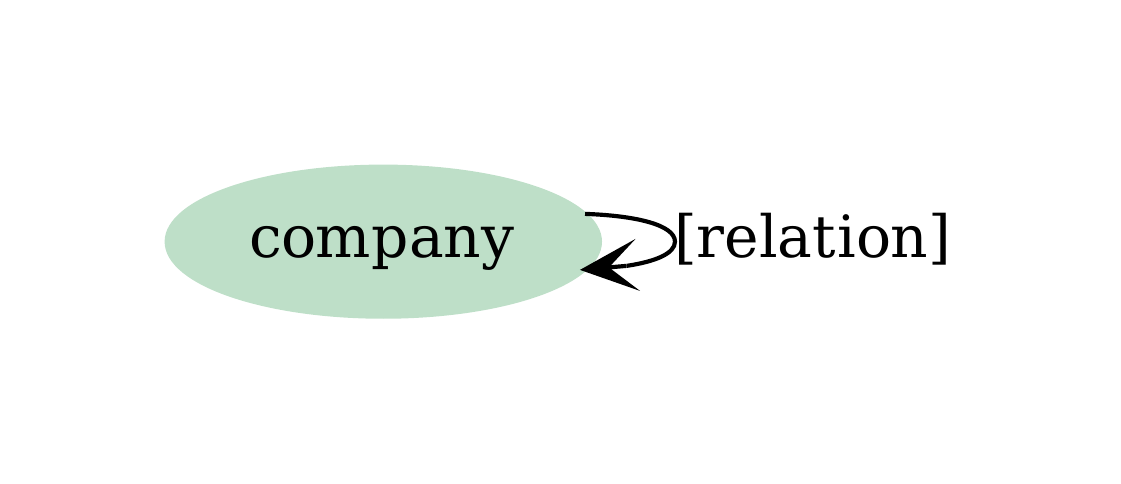
Graph Structure
The resulting graph structure shows multiple relationship types between the same entities:
Rendered graph:
Resource Structure
The resource mapping creates a clear structure for processing the CSV data:
Data Ingestion
The ingestion process is straightforward:
from suthing import FileHandle
from graflo import Caster, Bindings, GraphManifest
from graflo.connections.onto import Neo4jConfig

manifest = GraphManifest.from_config(FileHandle.load("manifest.yaml"))
manifest.finish_init()
schema = manifest.require_schema()
ingestion_model = manifest.require_ingestion_model()

# Load config from docker/neo4j/.env (recommended)
conn_conf = Neo4jConfig.from_docker_env()

# Or create config directly
# conn_conf = Neo4jConfig(
#     uri="bolt://localhost:7688",
#     username="neo4j",
#     password="test!passfortesting",
#     bolt_port=7688,
# )

from graflo.architecture.contract.bindings import FileConnector
import pathlib

bindings = Bindings()
relations_connector = FileConnector(
    name="relations_files",
    regex="^relations.*\\.csv$",
    sub_path=pathlib.Path("."),
)
bindings.add_connector(relations_connector)
bindings.bind_resource("relations", relations_connector)

from graflo.hq.caster import IngestionParams

caster = Caster(schema=schema, ingestion_model=ingestion_model)

ingestion_params = IngestionParams(
    clear_data=True,  # Clear existing data before ingesting
)

caster.ingest(
    target_db_config=conn_conf,  # Target database config
    bindings=bindings,  # Source data bindings
    ingestion_params=ingestion_params,
)
Use Cases
This connector is particularly useful for:
- Business Intelligence: Tracking multiple types of relationships between companies
- Temporal Analysis: Analyzing how relationships evolve over time
- Network Analysis: Understanding complex business ecosystems
- Compliance: Tracking different types of business arrangements
Key Takeaways
relation_fieldon the edge step enables dynamic relationship types from data- Multiple edges can exist between the same vertex pair
- Edge
propertiesdeclare temporal or quantitative attributes on relationships - Flexible modeling supports complex real-world business scenarios
Please refer to examples
For more examples and detailed explanations, refer to the API Reference.